logs
cfnrain logs <stack> shows the events of a stack and its nested stacks. By default it shows only the events with a useful message, such as a failure reason. log is an alias.
Give a logical resource ID to see the events of one resource:
| Flag | What it does |
|---|---|
-a, --all |
Show all events, also the ones without a useful message |
-l, --length |
Show only this number of events |
-d, --days |
Show only the events from the last number of days |
-s, --since-user-initiated |
Show only the events since the last User Initiated event |
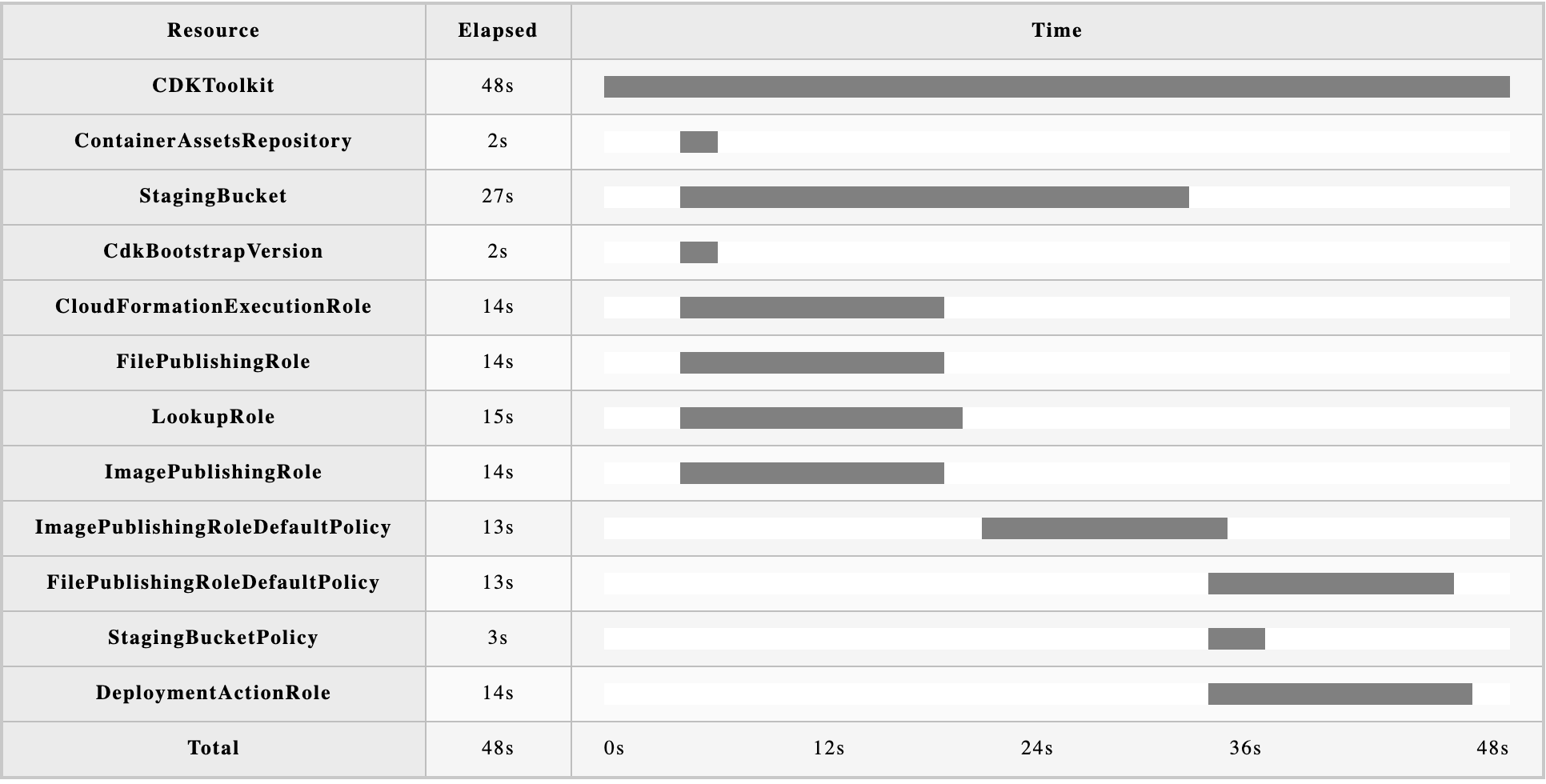
-c, --chart |
Write an HTML Gantt chart of the most recent stack operation to standard output |
The chart shows how long each resource took. Save it to a file and open it in a browser: